
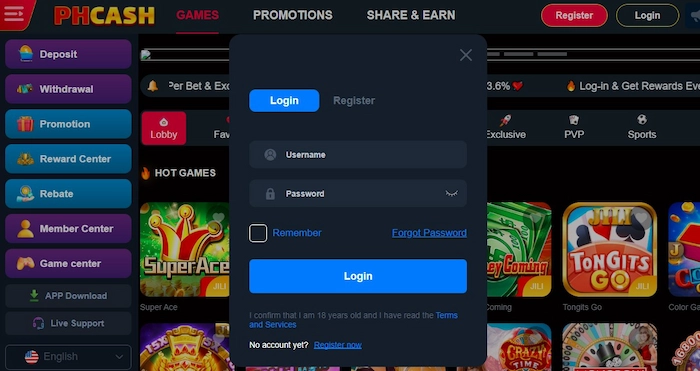
Account Setup Guide
PHCash Register Guide for Filipino Adults
The PHCash register guide explains what eligible users in the Philippines should check before opening an account: age and location requirements, accurate personal details, password security, privacy information and safer-play limits.
Registration steps can change. Follow the fields and notices displayed on the current PHCash page, verify the browser address and never send identity documents or verification codes through an unknown chat or message.

Before Creating a PHCash Account
Read the current eligibility rules, privacy notice and terms before entering personal information. PHCash guidance is for adults aged 21 and over, but age alone does not replace any location or verification requirements displayed by the site.
Use your own device where possible and prepare accurate information that belongs to you. Avoid registering through a copied page or link from an unknown message. If a field or consent statement is unclear, pause and read it before continuing.
PHCash Registration in Four Clear Steps
The exact fields may change; follow the labels shown on the current page.
Check eligibility
Confirm you are 21+, can use the service in your location and understand the terms.
Enter accurate details
Provide only the requested information and review spelling before submitting it.
Secure the account
Create a unique password and keep all verification or recovery codes private.
Review and confirm
Read the final consent, account and limit details before completing registration.
Choose Secure Credentials
A PHCash password should be unique, long and hard to predict. Avoid using a name, birthday, phone number or repeated sequence. Do not reuse a password from email, banking or social media, because one exposed account could place others at risk.
- Store the password in a trusted password manager.
- Keep verification codes and recovery answers private.
- Never let another person register in your name.
- Review any unfamiliar message before opening its link.
Understand What You Submit
Registration may involve identity, contact, technical and account information described by the current Privacy Policy. Read what is requested, why it is needed and what choices are stated before submitting the form.
Do not upload extra documents or details that the current process does not request. If another person asks you to send verification material through a private chat, stop and use only the support route shown on the website.
Registering on Android or iPhone
Use an updated browser, stable connection and a phone protected by a PIN or biometrics. Allow each page to load before entering details, and review auto-filled fields because saved information may be outdated or belong to another user of the device.
Avoid public Wi-Fi and shared phones for identity-related steps. If the connection drops, check whether the form was submitted before trying again. Repeated taps can create confusion or duplicate requests.
Set Limits Before Registration
Account creation is the best time to decide your boundaries, not after spending begins.
Plan session time
Choose how often and how long you may play, then schedule breaks away from the screen.
Use an entertainment budget
Set an amount you can lose without affecting necessities, savings or debt obligations.
Keep control personal
Do not register for someone else or let another person control your account.
What to Do After PHCash Registration
Confirm that the account details and recovery contact are correct. Keep a secure record of the domain you used, then review the account area without rushing into a game. Read the Responsible Gaming guide and set any control options that are currently available.
When returning later, use the PHCash Login guide as a security checklist. Sign out on shared devices and monitor messages that claim to come from the site. PHCash will never make uncertainty disappear, so keep all play within predetermined limits.
PHCash Registration FAQ
Answers about eligibility, information, security and next steps.